Features

Everything your family runs on, in one place.

The Board is for the kids: big pictures, big buttons and Homey to cheer them on. The Parent app is for you. Both share one set of rules.

The Board · Home

Today, at a glance.

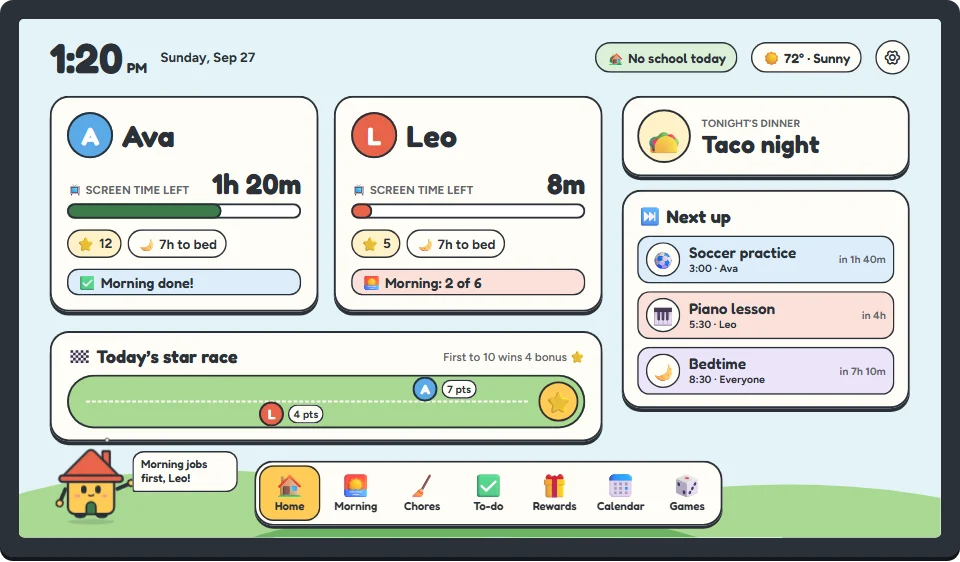
Screen time left, stars, tonight’s dinner and what’s next, on one screen the whole family can read from across the kitchen.
  • Each kid gets their own card and colour
  • School day or day off, and the weather, right at the top
  • “Next up” shows who needs to be where, and when
The Board’s home screen: each kid’s card with screen time left and stars, a star race, tonight’s dinner and what’s next.
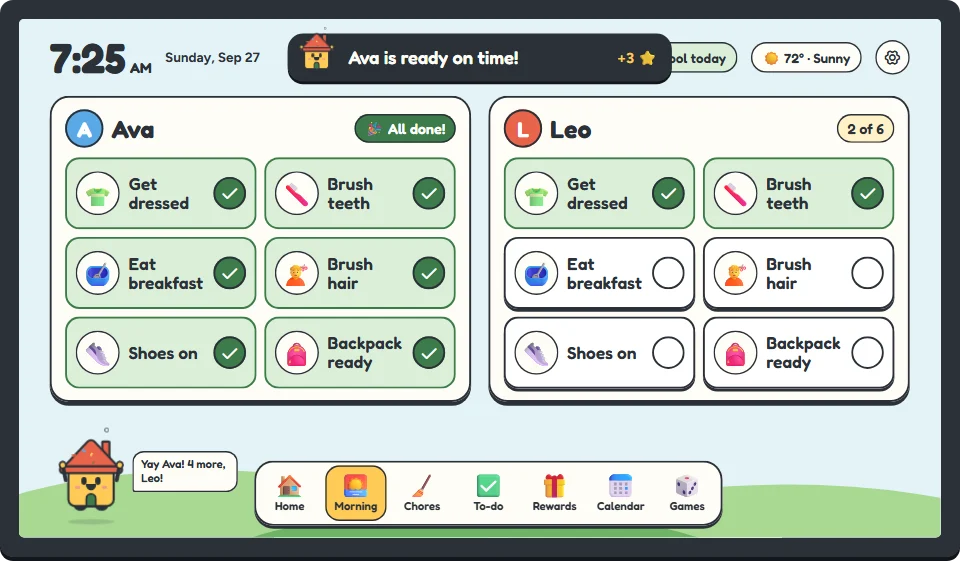
The Board’s morning routine: six picture steps for each kid, from getting dressed to backpack ready.
The Board · Routines

Routines that run themselves.

Mornings, after school and bedtime, each broken into small steps with a picture for every one. Kids know what comes next without being told, and you get to stop being the reminder.

  • Start from ready-made steps or write your own
  • Different routines for school days and weekends
  • Screens can unlock only when the routine is done
The Board · Chores & stars

Chores, with a grown-up OK.

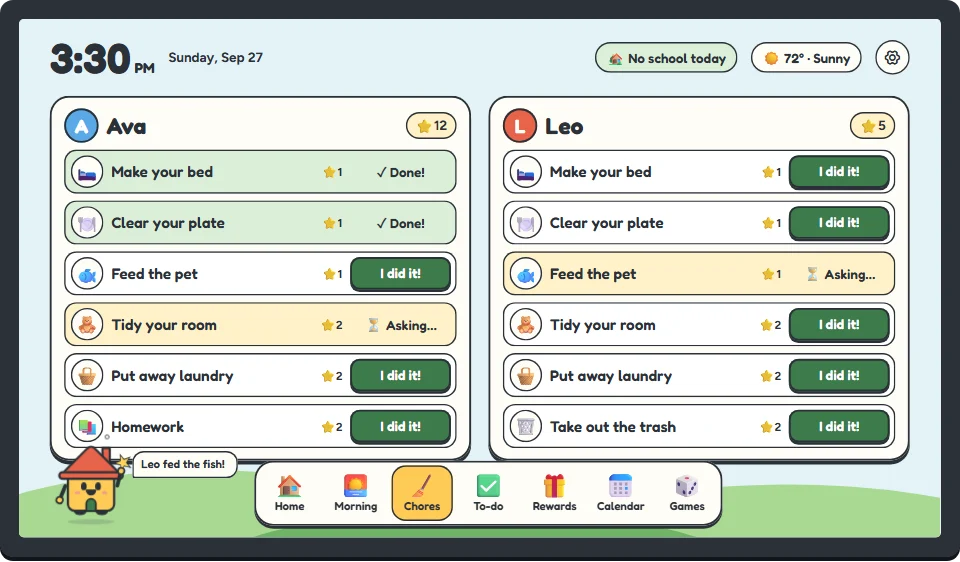
Kids tap “I did it!” when they’re done. You get a nudge on your phone, take a look, and OK it. Then the stars land.
  • Set how many stars each chore is worth
  • Daily jobs, weekly jobs and one-offs
  • A friendly star race on the home screen
The Board’s chores screen: jobs for each kid, some done, some waiting for a grown-up’s OK.
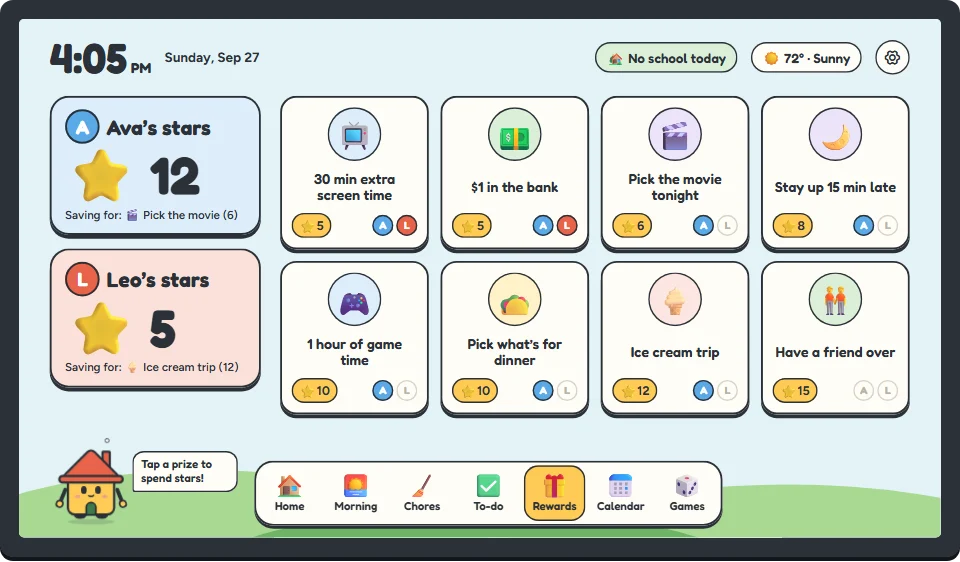
The Board’s rewards screen: prizes with star prices, lit up for the kids who can afford them.
The Board · Rewards

Rewards worth saving up for.

You make the list together: pick the movie, a friend over, a dollar in the bank. Kids see what they can afford right now and what they’re saving for.

  • Your rewards, your prices
  • Each kid’s face lights up on the rewards they can afford
  • Extra screen time can be one of them, if you like
The Board · Calendar & dinner

The whole week, and what’s for dinner.

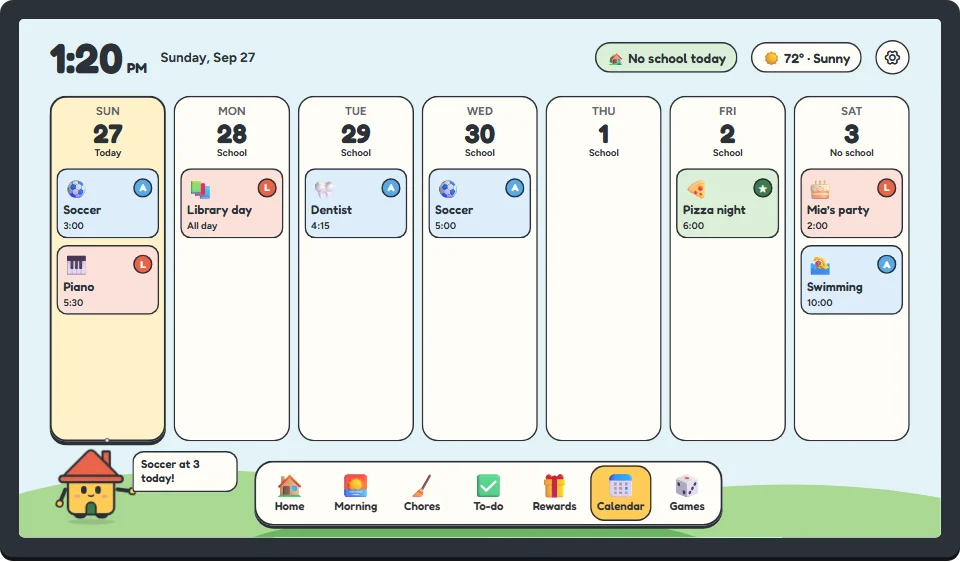
Soccer, piano, the dentist and Mia’s party, in one place everyone can see. Tonight’s dinner sits on the home screen, so nobody has to ask.
  • Colour-coded by kid, with a picture for every event
  • School days and days off marked on every day
  • Plan the week’s dinners from your phone
The Board’s week calendar: each day’s events with pictures, colour-coded by kid, and school days marked.
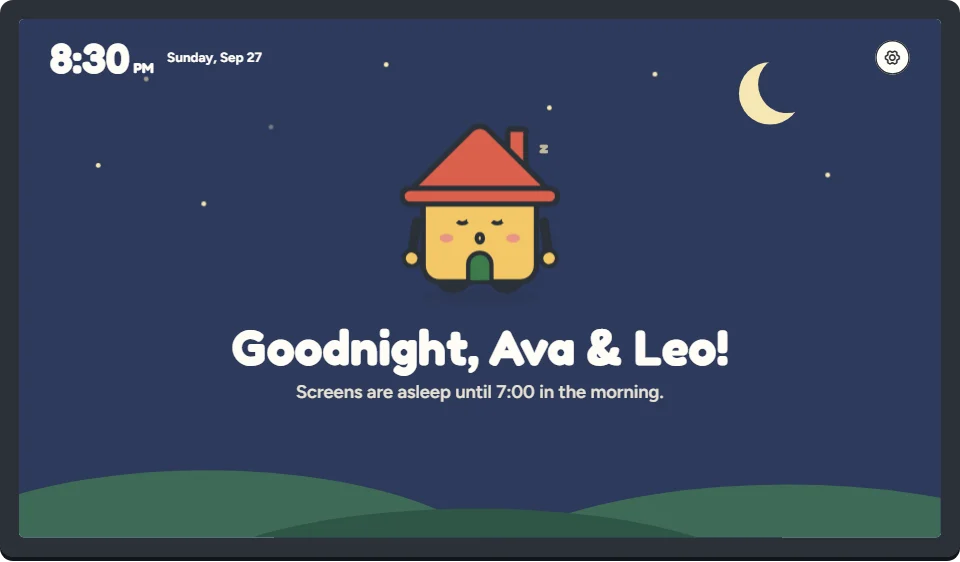
The Board at bedtime: a starry night sky with Homey asleep.
The Board · Bedtime

Lights out, screens too.

At bedtime the Board dims to a night sky and Homey goes to sleep. The kids’ devices follow along, and they all wake up again in the morning.

  • A gentle heads-up before bedtime, so it’s not a surprise
  • Separate bedtimes for each kid and for weekends
The Parent app

The grown-up side lives on your phone.

Calm, clear and quick. Set the rules once, then mostly just answer the odd “can I have more time?”
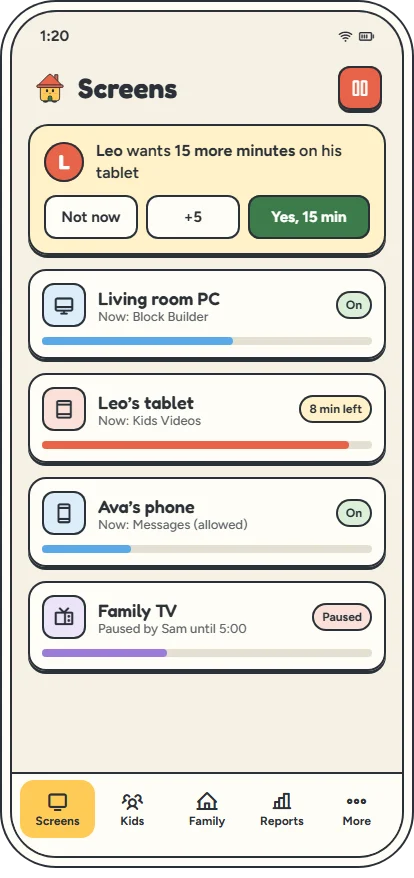
The Parent app’s Screens tab: a more-time request and each device’s time left.

Every screen, right now

See who’s on what and how much time is left. Answer requests or pause everything with one tap.
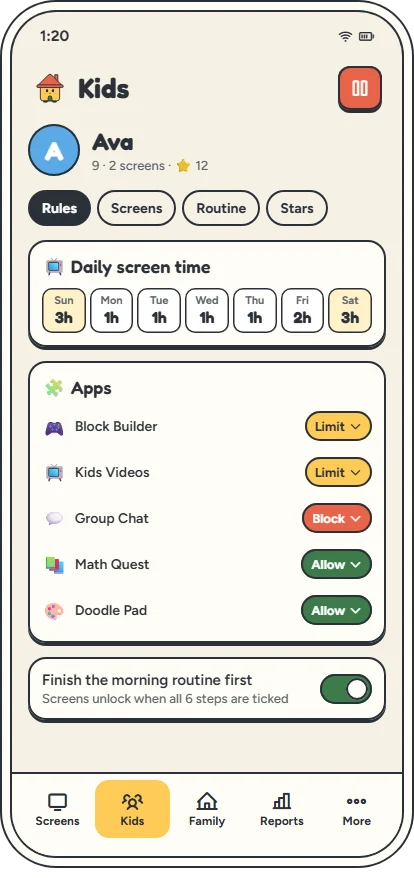
The Parent app’s rules for one kid: daily time for each day of the week, app rules, and a morning-routine-first switch.

Rules for each kid

Daily time for each day of the week, plus which apps are allowed, limited or blocked. The rules follow them to each of their devices.
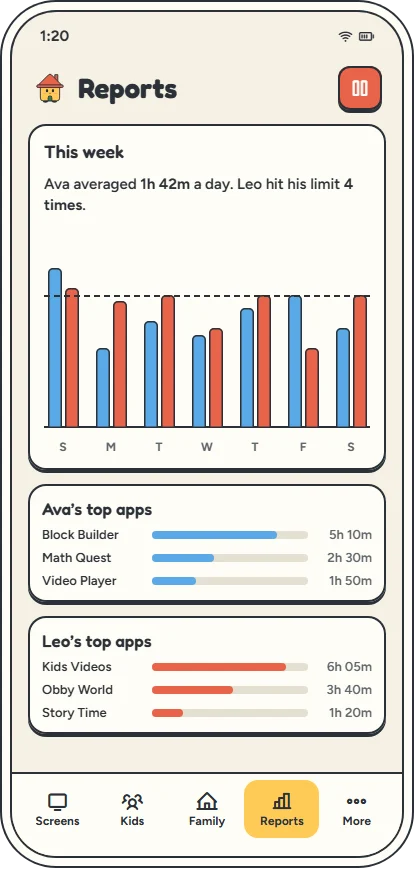
The Parent app’s weekly report: screen time per day and each kid’s top apps.

A weekly report you’ll actually read

How much time each kid spent, on which apps, in plain words.

Be one of the first families

Homestead is almost ready. Leave your email and we’ll let you know when you can bring one home.

No spam. Just one email when it’s ready. How we use it

You’re on the list!

We’ll send one email to when Homestead is ready for your family.