Coming soon to family kitchens

Built for calmer mornings and fewer screen-time fights.

Homestead is a friendly touchscreen for your kitchen. Kids follow their routines, do their chores and earn stars. You set screen time once, and it works on their tablets, phones, PCs and TV. Your family’s information lives on the Board in your kitchen, not in our cloud.

No spam. Just one email when it’s ready. How we use it

Try the live demo Your own pretend family. No sign-up.
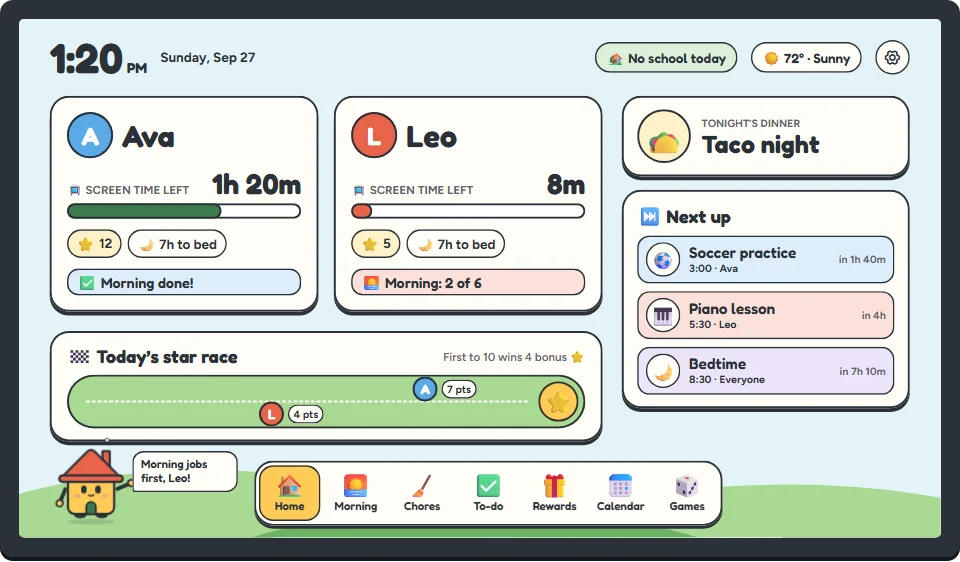
The Homestead Board’s home screen: two kids’ cards showing screen time left, stars and bedtime, a star race, tonight’s dinner, what’s next, and Homey the house mascot.
The parent app on a phone, showing a kid’s request for more time and each device’s screen time.
A day with Homestead

It keeps the day on track, so you can stop repeating yourself.

🌅 7:00 AM · Morning

Mornings, one picture at a time.

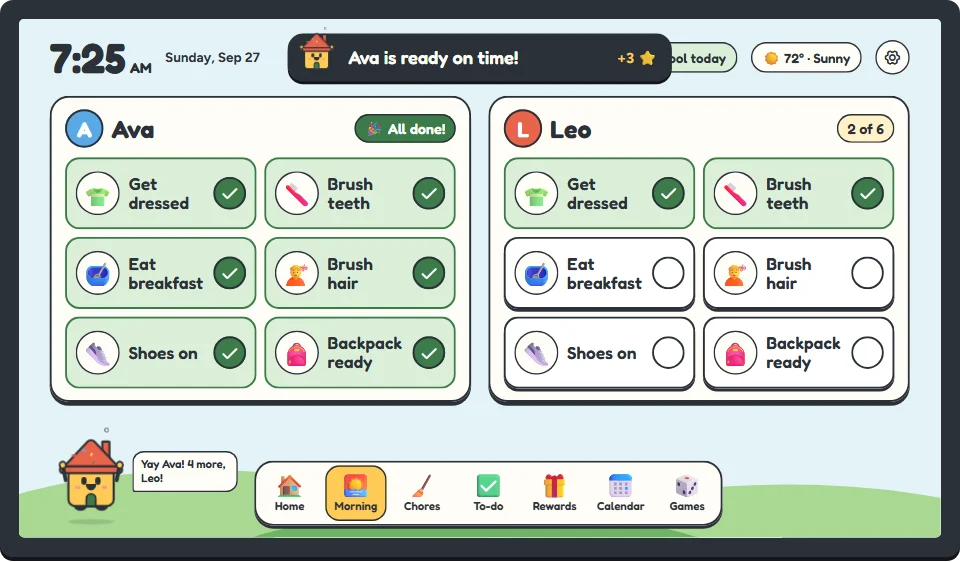
Each kid sees their own steps on the Board and ticks them off as they go. Homey cheers when they’re done. No more asking five times whether teeth got brushed.

  • A picture for every step, so it works before they can read
  • Screens can stay off until the routine is finished
  • Ready on time? That’s bonus stars
The Board’s morning routine: each kid’s steps with a picture, ticked off as they go.
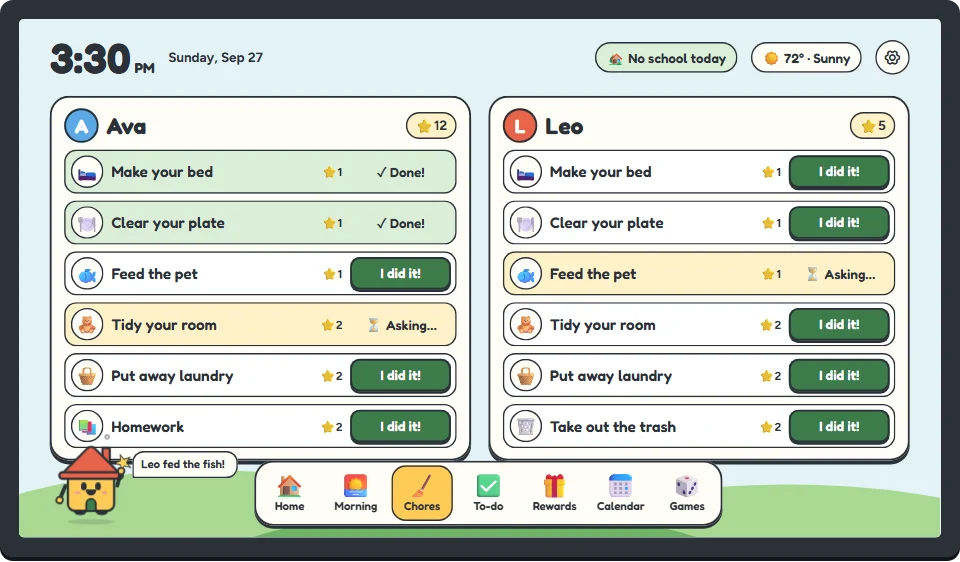
The Board’s chores screen: each kid’s jobs with an “I did it!” button and the stars each one is worth.
🧹 3:30 PM · After school

Chores they actually want to do.

Kids tap “I did it!” and you OK it from your phone. Every chore earns stars, and stars buy the rewards you pick together: choosing the movie, 15 minutes past bedtime, a trip for ice cream.

  • You decide what each chore is worth
  • A daily star race keeps brothers and sisters going
  • Extra screen time can be a reward, too
📺 4:15 PM · Screen time

Screen time that ends without a fight.

Homestead adds up time across every screen a kid uses. They can see what’s left on the Board, get a kind heads-up before it runs out, and ask for more. You answer from your phone with one tap.

  • One daily limit that follows each kid to their devices
  • Allow, limit or block each app
  • Pause every kid’s device with one button
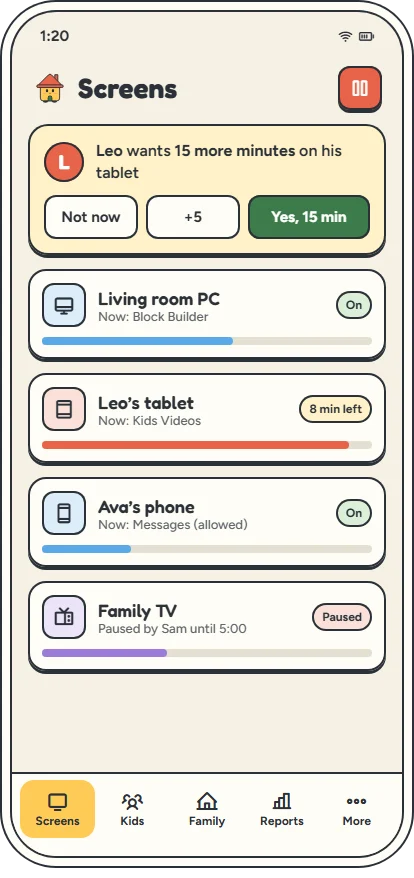
The parent app’s Screens tab: a “more time?” request with Not now, +5 and Yes buttons, and four devices with the time each has left.

Works on the screens your kids actually use

What works on which device →
Windows PCs
Time limits, app blocks and locks, with a small app we install.
Android phones & tablets
The strongest control. Away from home too, with Homestead Care.
iPhones & iPads
Homestead can pause their internet on the Kids Wi‑Fi. Use Apple’s Screen Time too.
TVs & game consoles
Pause their internet on the Kids Wi‑Fi. Offline games keep playing.

Kids are clever. No product can stop every workaround, and we won’t pretend otherwise. Here’s exactly what works.

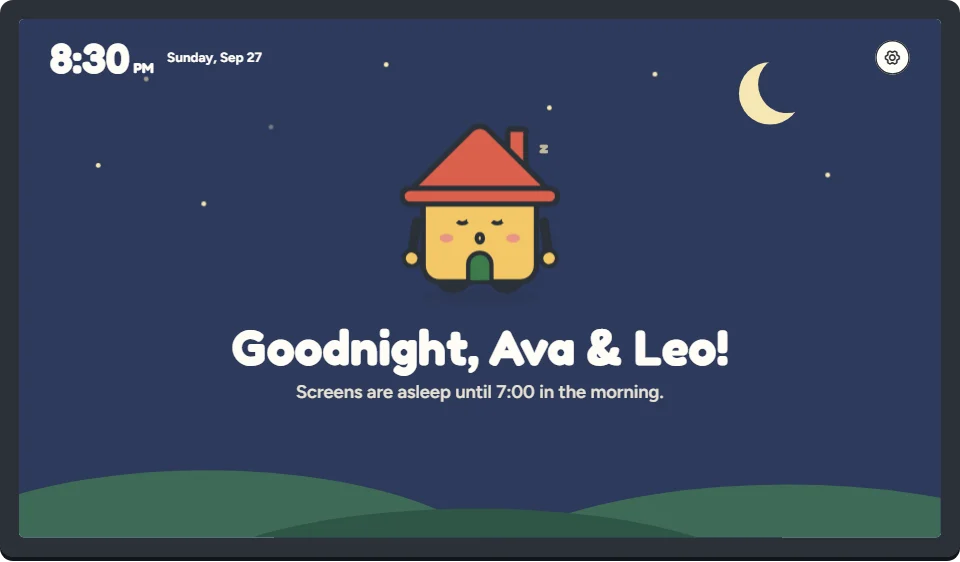
The Board at bedtime: a night sky with Homey asleep.
🌙 8:30 PM · Bedtime

Goodnight, screens.

At bedtime the Board turns into a starry sky and Homey falls asleep. The kids’ tablets, phones and PCs go to sleep too, and stay that way until morning.

  • A wind-down warning before lights out
  • Different bedtimes for school nights and weekends
How it works

Three pieces. One calm home.

The Board
A touchscreen for the fridge wall or the counter, with a small computer on its back. It’s what the kids see and tap all day.
The Kids Wi‑Fi box
Plugs into your router with one cable and makes a separate Kids Wi‑Fi for their devices.
The Parent app
Set the rules, OK chores and answer “more time?” from your phone.
See how it works
Why Homestead

A family board and screen time, finally in one.

Right now, families put this together from two kinds of products, each with its own app and its own account.

Homestead
Family calendar boardsTouchscreen calendars
Screen-time appsParental-control apps
Family calendar, routines, chores and rewards
Yes
Yes
No
Screen-time limits on kids’ devices
Yes
No
Yes
One app for the whole household
Yes
No
No
Family information kept on a box in your home, not a company cloud
Yes
No
No

Compared with what typical products in each category offered in September 2026. Every product is different, and Homestead doesn’t do everything every app does (it has no website filtering, for example), so check what matters to you.

Buy once, own it

Buy it once. It’s yours for good.

Lots of family gadgets stop working properly the day you stop paying. Homestead keeps working at home with no subscription, and we will never switch it off, lock it, or hold your family’s information hostage.

Pricing coming soon
No subscription to keep it running
Routines, chores and screen-time rules keep working at home, even when the internet is down.
Nothing gets switched off
If you never pay us another cent, your Board keeps everything it has and everything it does at home.
It keeps itself up to date
The Board updates itself overnight. You don’t have to do anything.
Coming soon

Homestead Care, for life outside the house.

Homestead works at home with no subscription. Care is an optional add-on for the times you’re not there.

Use it from anywhere
Say yes to “more time?” from work or check screens from the car. No router setup.
Rules go where kids go
A kid’s Android phone keeps getting its rules and your answers when it’s away from home.
A nightly backup, locked with your code
Locked with a Recovery Kit code only you hold. We can’t open it unless you ask us to be able to.

Care’s away-from-home connection is encrypted on the way to our servers and from them to your Board, but not yet end to end. What that means.

Learn about Care

Be one of the first families

Homestead is almost ready. Leave your email and we’ll let you know when you can bring one home.

No spam. Just one email when it’s ready. How we use it

You’re on the list!

We’ll send one email to when Homestead is ready for your family.